A Memorial for Remembering…
A memorial is a work honoring a deceased person. It allows you to gather memories, organize them, share them and, eventually, it could help soothing a grief.
Memorial Holder, an Application That Remembers
Memorial Holder lets you create memorials on iPhone® and iPad® in memory of persons you cherish. These persons can be a relative, a friend, one of your favorite star or someone who was an inspiration for your life. In short, any person that matters to your heart.
Photos, a summary of life, tributes let you build the memorial. In addition, you can highlight some salient facts or character traits that you would like to remember, identify donation suggestions and even inscribe the obituary.
Memorials are personal. They are stored on your iPhone or iPad and not on a web server. This allows you to view them at any time without an Internet or cellular connection. In addition, you can write whatever you want according to your tastes and feelings.
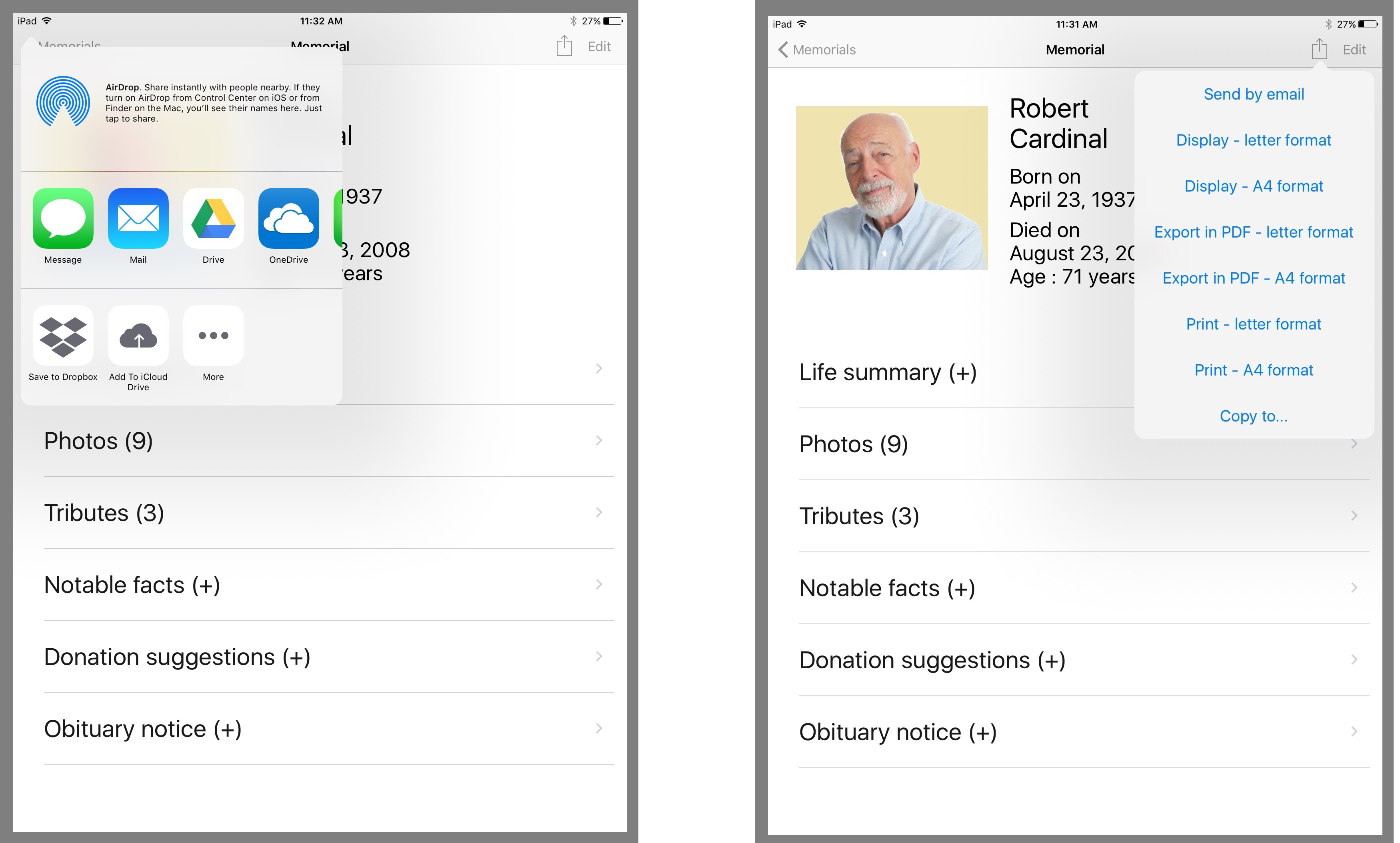
You can transmit a memorial by email to relatives or friends who also have Memorial Holder. They will then be able to add it to their own memorials. You can also export a memorial in PDF and email it, for example, to someone who does not have Memorial Holder.
Finally, you can print a memorial on a printer accessible from your iPhone or iPad. For instances, this feature can be useful to distribute to relatives interested in the memorial you created, to distribute at funerals, for your own files or even as a backup.
 Your
Your
Memorial Project

You want to create a memorial? And possibly share it with your family and friends?
Start by collecting photos and tributes from family and friends. Then create the memorial with Memorial Holder based on available data.
You can then distribute this memorial by email as a MTF file (Memorial Holder internal Transfer Format). If your correspondents have additional tributes and photos, they can add them to their version of the memorial to customize it. Another option is to transmit the information and photos to share to the memorial creator in order to enrich the original version.
Memorials can also be distributed as PDF files, or on paper if you have a printer accessible from your iPhone or iPad. PDF and printed versions are particularly useful for your correspondents who want to keep a souvenir but not necessarily on iPhone or iPad.
List of Memorials
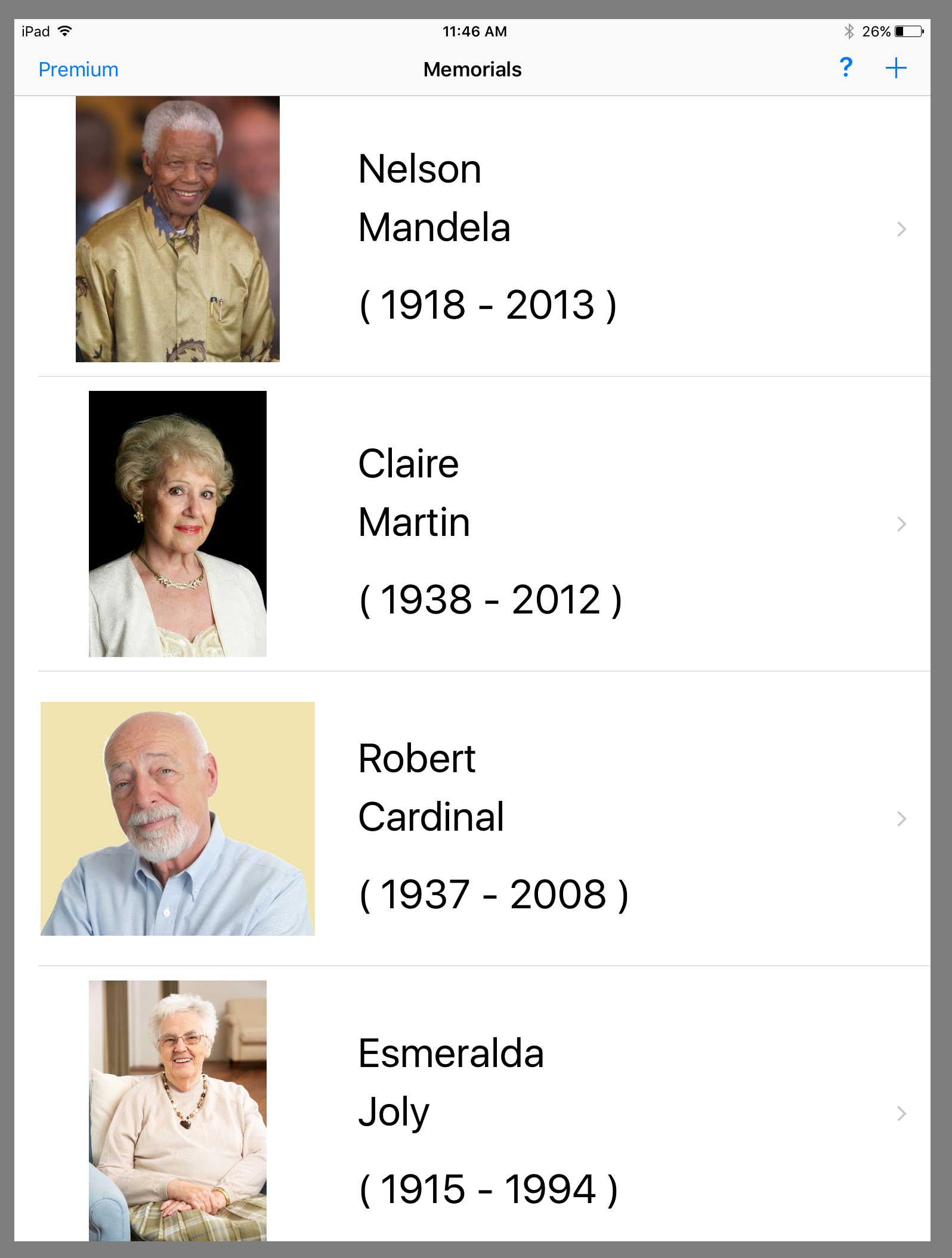
Upon starting Memorial Holder, a list of the memorials created or imported is displayed. Thus, you can see all your memorials at a glance.
You can view and modify the registered memorials or add new ones.
Components of a
Memorial
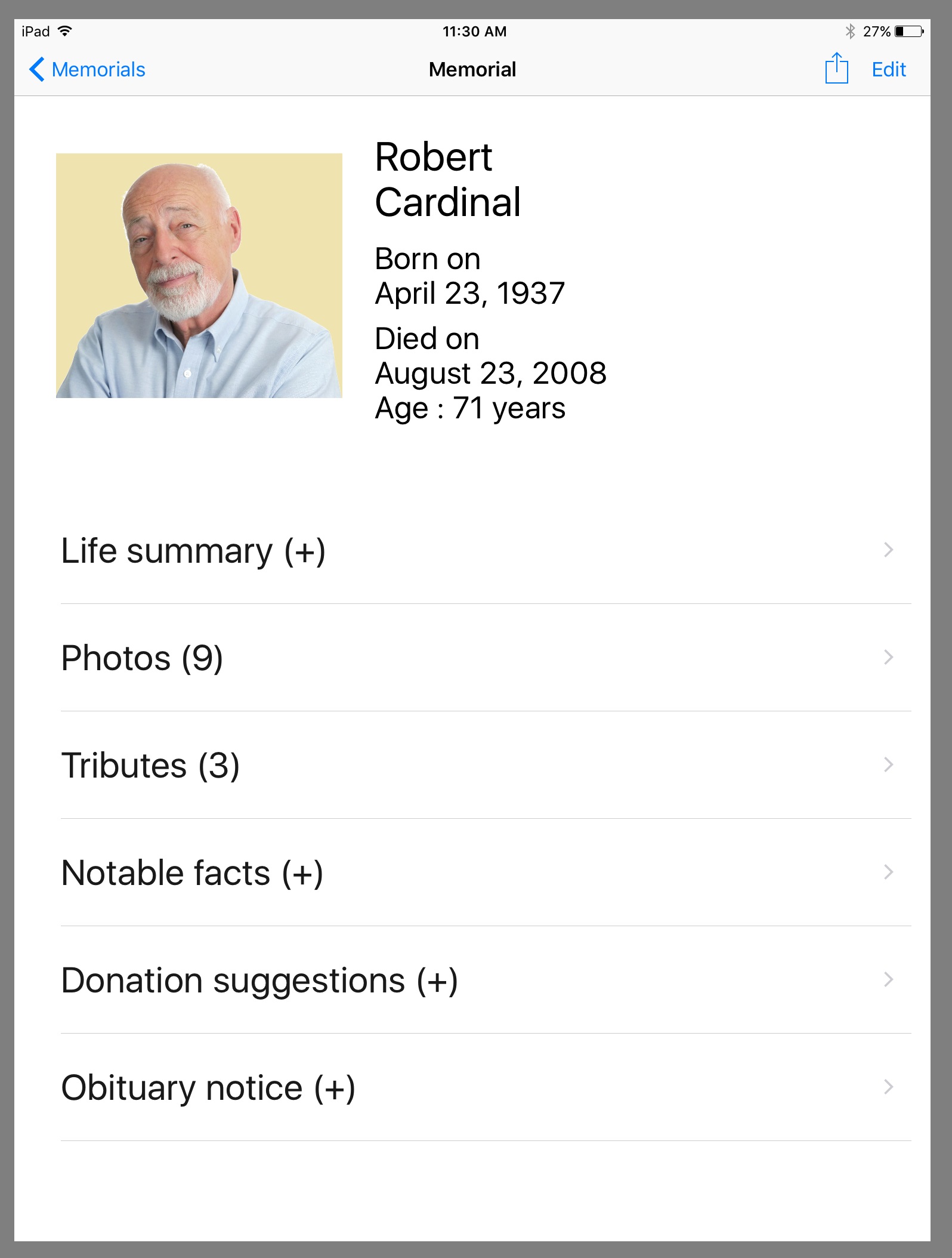
Upon starting Memorial Holder, a list of the memorials created or imported is displayed. Thus, you can see all your memorials at a glance.
At the top of the main card, a header identifies the person. Under this header, you will find the different topics where you can document the life of the person, register tributes, photos, etc.
Whatever you include in a memorial is up to you and depends on your feelings, your motives and tastes. The titles of the topics included in Memorial Holder represent guidelines to inspire you. But, if you have more to say or different ideas, just feel free to write whatever is important to you.
Obituary Notice, Life Summary,
Notable Facts, Donation Suggestions
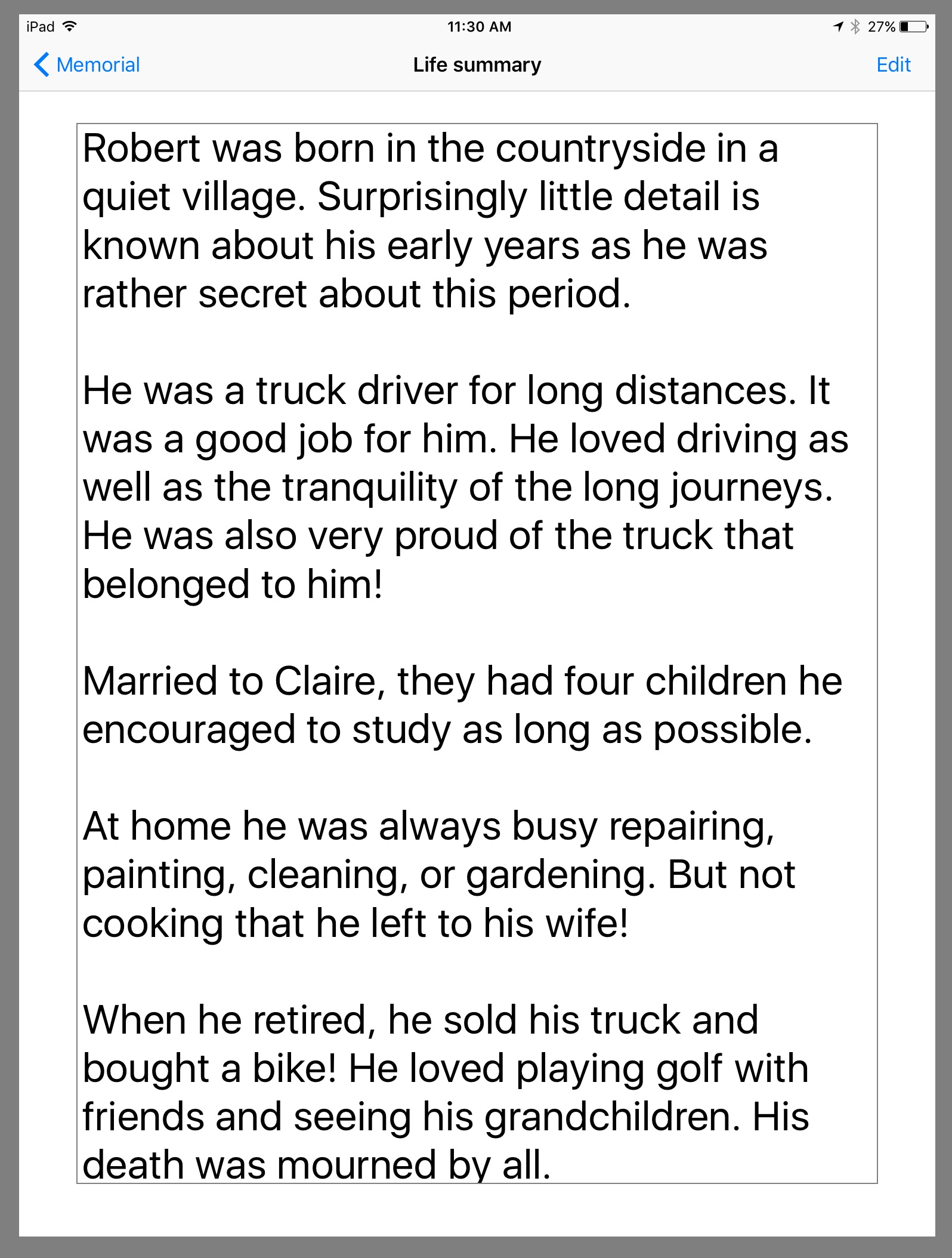
When you access one of these topics you get a window showing text.
The Obituary notice is aimed at saving the obituary published following the death of the person.
Life summary can be used to document the main events in the life of the person, for example, events that had a strong impact. When possible, adding time references to events and sorting them chronologically are good ideas.
Notable facts can be used to keep record of the achievements that you admire and qualities that you appreciate.
Donation suggestions is for providing the coordinates of charities to honor the memory of the deceased person.
Photos
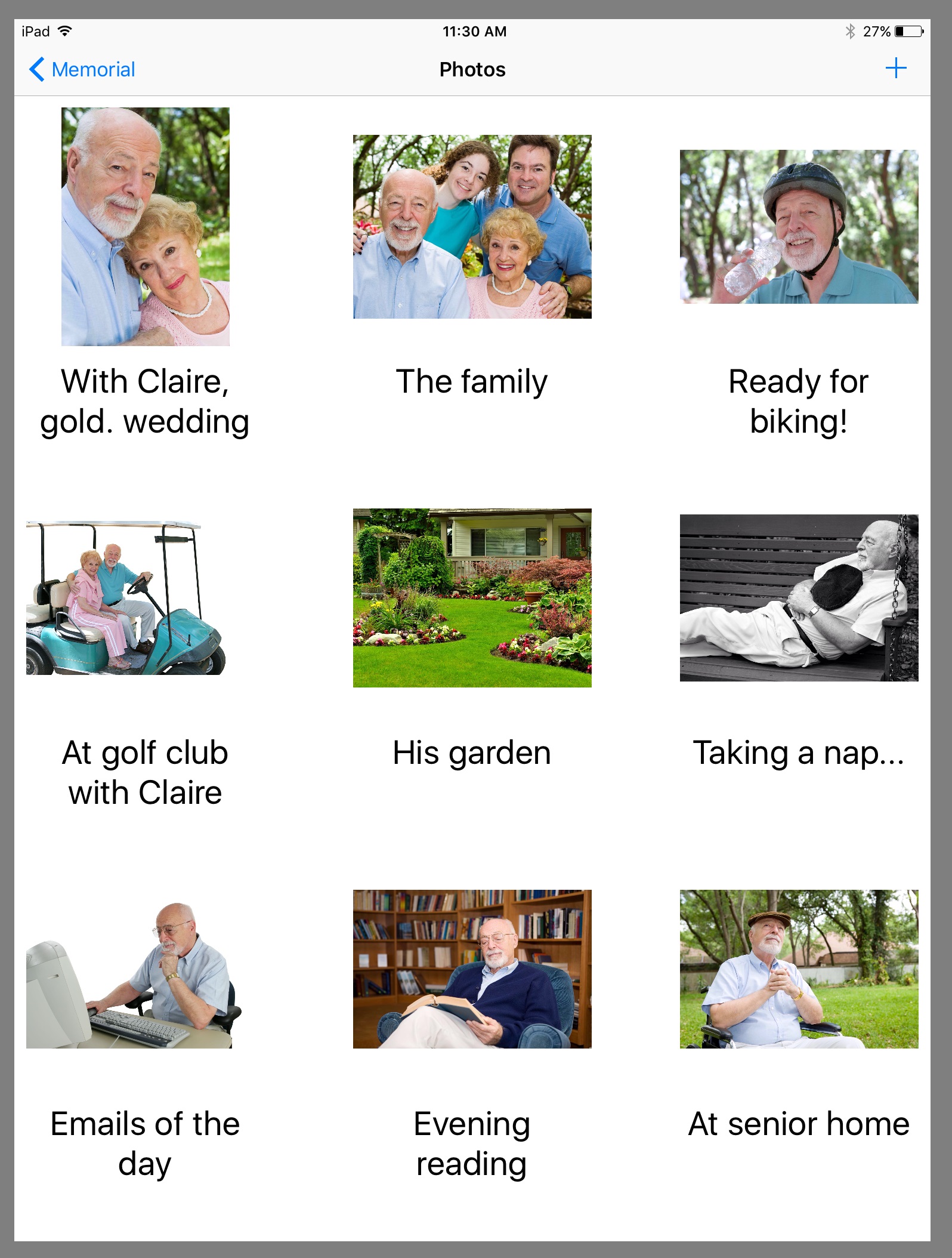
A photo album is a very useful tool to keep in mind different events (wedding, birth of children, first job, first house, anniversaries, important trips) or how a person looked like at different times during his or her life.
Photos can be imported from the albums on your iPhone or iPad. Should you wish, you can also use the camera, take a photo and add it directly to a memorial.
For each photo, you can write a caption (short text). For example, captions can mention dates, names, events, etc.
Tributes
With Memorial Holder, you can also maintain a list of tributes, each of them identified by the name of the author and a date.
Including tributes from different sources can greatly increase in value a memorial. In addition to a personal tribute, you can gather the tributes collected during the commemorative ceremony. You could also find relevant tributes among the condolences of friends and relatives.

Sharing Memorials
Once you have created memorials, you can share them with members of your family and friends. Depending on your installation and goals, you can use one of the following functionnalities available with Memorial Holder.
- You can email memorials to people having Memorial Holder
- You can email memorials in PDF format
- You can print memorials from your iPhone or iPad
Memorial Holder
Main Features
Here is a summary of Memorial Holder main features.
- Creation of memorials on iPhone or iPad
- A memorial can include a life summary, photos, tributes, notable facts, recommended organisms for donations, and the obituary notice
- Sharing memorials through emails
- Exporting memorials in PDF format
- Printing memorials
- Simple, pleasant and user-friendly interface
- Free version is limited to one memorial
For additional memorials, the built-in purchase command allows you to upgrade to the premium version - Online Help accessible within the application
- Memorials are personal. They are stored on your iPhone or iPad, not on a remote internet server
Contact Us
Should you have comments, suggestions, questions or would like to report problems, please consult Contact Us page.
Also, your sponsorship is welcome and appreciated! Thus, if you like the Memorial Holder application, please evaluate it through the App Storesm.
Getting Your Free Version of
Memorial Holder
To start your memorials with Memorial Holder, please visit the App Store by clicking the link below.
Available Soon on
App Store
The free version of Memorial Holder includes all the documented features but allows you to create a single memorial. To create more memorials, you must purchase the premium version via the integrated purchase command of the application.
iPhone® and iPad® are trademarks of Apple Inc., registered in the U.S. and other countries.
App StoreSM is a service mark of Apple Inc.

 Memorial Holder